








Key Takeaways
- Rhombus cameras are cloud-native. They do not require an NVR, DVR, or on-site server.
- Footage is stored in the cloud, with supported cameras also providing local storage for redundancy during connectivity disruptions.
- All cameras and locations run from one console accessible by browser or mobile app.
- AI analytics run on the camera itself, reducing lag and bandwidth demands.
- Rhombus fits multi-site retail, corporate offices, healthcare, schools, and construction sites.
- Pricing combines one-time hardware with an annual per-camera software license.
What happens to your security footage when the server storing it goes down? Well, with a traditional security camera system, the answer can be concerning. Most setups depend on an on-site NVR or DVR, IT resources for maintenance, and a VPN for remote access.
A server failure can put recorded footage at risk, while limited IT resources can leave firmware updates and system maintenance waiting. Add another location, and you may need another server to manage.
A rhombus camera takes a different approach. Rhombus Systems is a leading cloud-native security camera platform, with cameras that connect directly to the cloud. There is no NVR, local server, or VPN required for remote access, and security operations can be managed through a single browser-based console.
For Connecticut organizations considering that shift, Advanced Security Technologies (AST) is an authorized Rhombus dealer and installer serving businesses across New Haven County, Fairfield County, Hartford, and the broader Connecticut market.
This blog explains how Rhombus works, what affects its cost, and how it compares with traditional security camera systems.
What Is Rhombus? Understanding the Cloud-Native Security Platform
Rhombus Systems is a physical security company based in Sacramento, California, founded in 2016. It builds cloud-native IP security cameras and a unified security platform that manages video, sensors, and access control from one place.
The core difference is simple: Rhombus cameras connect directly to the internet and store footage in the cloud, with optional local redundancy, eliminating the need to purchase, house, or maintain an NVR (Network Video Recorder) or DVR (Digital Video Recorder).
Cloud-Native vs. Cloud-Connected
These terms may sound alike, but they describe very different systems. Here is how they differ:
- Cloud-connected: Older cameras with a bolt-on cloud app. Footage still routes to a local NVR first, then syncs upward. The server never goes away.
- Cloud-native: Cameras designed from the ground up to run on cloud infrastructure. Rhombus falls in this category, so there is no middleman server.
The platform includes cameras, sensors for doors, motion and environment, AI analytics, and access control integrations. In other words, everything reports into one console, making these cloud security cameras far easier to manage across sites.
How Rhombus Cloud Video Surveillance Works
Setting up cloud video surveillance with Rhombus follows a clean, repeatable process. Here is how footage moves from camera to screen:
- Camera installation: Rhombus cameras use power over Ethernet. A single cable carries power and data, so no extra wiring runs.
- Cloud connection: Each camera connects directly to Rhombus cloud infrastructure. The footage is encrypted and stored in the cloud, backed by Amazon Web Services (AWS).
- Edge storage: Every camera also records to a local SD card. If internet service drops, footage keeps saving on the device.
- AI processing: Analytics run on the camera itself. This edge processing removes lag and avoids heavy cloud bandwidth use.
- Unified console: All cameras across all locations open in the Rhombus Console through a web browser or mobile app. No VPN needed.
- Alerts and integrations: Motion alerts, anomaly detection, and third-party links to access control, Slack, and webhooks all run through the platform.
Pro insight: Since these are cloud-based security cameras, a security manager in one building can review footage from a satellite office on a phone within seconds.
Rhombus Camera Line: Models and Use Cases
At AST, we help businesses select cameras and sensors based on the environment, coverage requirements, and level of detail needed, whether for offices, schools, healthcare facilities, warehouses, or multi-site businesses. Our range includes:
Rhombus R200 Series (Dome Cameras)
Indoor dome cameras combine wide-angle 4K resolution with AI people detection. They can be ceiling- or wall-mounted, making them well suited for corporate offices, medical waiting rooms, and retail floors.
Rhombus R300 Series (Fisheye)
360-degree panoramic coverage helps reduce blind spots across open spaces. This makes the series well suited for warehouses, open-plan offices, school gymnasiums, and large retail floors.
Rhombus R500 Series (Outdoor / Dome)
IP67 weather-rated and vandal-resistant, these cameras support AI vehicle and person detection, along with built-in infrared for night vision. As a result, they fit building exteriors, parking lots, loading docks, and construction sites.
Rhombus R600 Series (Bullet / Long-Range)
Long-range outdoor coverage supports perimeter monitoring and license plate recognition capability. This makes the series a strong fit for parking structures, gated entrances, and campuses.
Rhombus Environmental Sensors
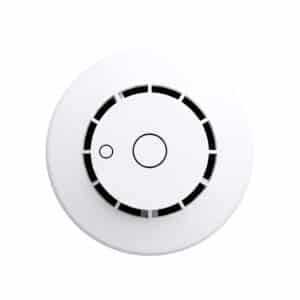
Door sensors, motion sensors, air quality monitors, humidity sensors, and temperature monitors all report into the same console as the cameras. Together, they create one unified physical security platform.
Rhombus vs. Traditional NVR-Based Systems
Buyers switching from legacy systems want to know what changes. This table lays out the difference between Rhombus and traditional NVR-based systems:
| Factors | Traditional NVR System | Rhombus Cloud-Native |
| On-site server required | Yes | No |
| Remote access | VPN required | Browser/app, anywhere |
| Multi-site management | Per-site login | Single console |
| Firmware updates | Manual/IT | Automatic, over the air |
| Scalability | New NVR per site | Add cameras in minutes |
| Footage redundancy | NVR failure = lost footage | Edge + cloud redundancy |
| IT resources required | Significant | Minimal |
| Upfront hardware cost | Higher (NVR + cameras) | Lower (cameras only) |
Rhombus vs. Verkada: Which Cloud Camera Is Right for Your CT Business?
Both Rhombus and Verkada are cloud-native camera platforms, which makes the Rhombus vs. Verkada comparison a common consideration for buyers. Both offer strong capabilities, but the right choice depends on the facility and its security needs.
Here are a few pointers that can help you decide on the best:
- Pricing model: Verkada charges per camera per year for licenses. Rhombus uses a similar structure. You can get quotes for both based on your exact camera count.
- AI analytics: The platforms differ in how and where video analytics are processed, which can affect bandwidth, performance, and system architecture.
- Integrations: Both platforms support integrations, but compatibility with existing security and business systems should be reviewed before selecting a platform.
- Access control: Both companies offer ways to connect video surveillance with access control, though their product ecosystems and integration approaches differ.
So, the right fit depends on the site, existing hardware, and specific security needs. If a site already uses Axis hardware, Axis camera systems may also be worth considering as part of the existing setup.
Connecticut Industries Using Rhombus Cloud Cameras
Rhombus cloud cameras can support a range of industries across Connecticut, with features that fit different locations, security needs, and existing infrastructure.
Multi-Location Retail (Fairfield County, New Haven)
For retailers with multiple Connecticut locations, a single console can bring store footage into one place. Loss prevention teams can review footage from headquarters, while AI analytics can flag activity at points of sale and high-shrink areas.
Corporate Offices (Hartford Insurance Corridor, Stamford)
With cloud access, security teams can monitor satellite offices from a central location instead of managing separate systems at each site. When footage needs to be reviewed, it can also be shared with authorized HR or legal personnel.
Healthcare and Medical Offices
For healthcare facilities, removing the on-site NVR or DVR means there is less local hardware to manage. Encrypted cloud storage and role-based access can help control who can view footage from waiting rooms, parking areas, and entrances.
K–12 Education
Schools with smaller IT teams can manage Rhombus cameras through a central platform, giving administrators access to footage from connected devices. For school security systems, AI person detection can also help identify activity around school grounds after hours.
Construction and Temporary Sites
Construction sites without hardwired internet can use LTE-connected Rhombus cameras to maintain video coverage. For locations with limited infrastructure, solar and cellular options provide another way to deploy cameras without setting up an on-site NVR.
How Much Do Rhombus Cameras Cost in Connecticut?
The cost of a Rhombus camera system in Connecticut depends on the number and type of cameras, licensing, installation requirements, and any additional sensors or features. Rhombus typically combines a one-time hardware cost with an annual software license for each camera.
What Affects the Cost?
Several factors can influence the total price:
- Camera model and quantity
- Annual license tier
- Installation complexity
- Number of locations
- Optional sensors and integrations
- Existing network and infrastructure
Typical Connecticut Installed Costs
Because every facility has different camera counts, mounting conditions, network infrastructure, licensing requirements, and integration needs, installed Rhombus costs can vary considerably.
Businesses should account for both the initial hardware and installation investment and the recurring software licensing costs. Larger or multi-site deployments may also require additional sensors, integrations, or network upgrades.
As a general range, Connecticut businesses may see costs such as:
- Single Rhombus R200 camera: $600–$1,100 per year, including installation and licensing
- 10-camera system: $7,000–$14,000, including installation and the first year of licensing
- 25-camera system: $18,000–$35,000+
- Enterprise multi-site systems: Custom pricing based on the scope of the installation
Rhombus does not require an NVR, which can reduce the upfront hardware investment compared with traditional systems. The annual software license adds an ongoing cost, so businesses should consider both the initial investment and recurring fees when comparing systems.
Pro tip: AST provides free Rhombus system design and quotes for Connecticut businesses, with no commitment required.
Why Connecticut Businesses Get Rhombus Through an Authorized Dealer
Working with AST gives Connecticut organizations local design, installation, and support for Rhombus systems. You get:
- Authorized Rhombus dealer: Genuine product with full Rhombus warranty and support.
- Free system design: Camera placement plan, model selection and license sizing at no cost.
- Connecticut-based install team: Shelton headquarters with coverage across all eight counties.
- Integration expertise: Rhombus paired with access control, alarm and building management systems.
- 24/7/365 support: Help stays available after install.
- GSA Schedule: A compliant path for government procurement.
- Cloud video surveillance services: System design, installation, ongoing support and maintenance.
Frequently Asked Questions About Rhombus Cameras in Connecticut
What is Rhombus and how is it different from traditional security cameras?
Rhombus is a cloud-native security camera platform. Cameras connect directly to the cloud with no NVR or DVR, and every device runs from one unified console. Traditional systems often rely on an on-site recorder and may require additional network configuration or a VPN for secure remote viewing.
Do Rhombus cameras require an NVR or DVR?
No. Rhombus uses cloud-native architecture, so no local recording server sits between the camera and the console. Each camera keeps a local SD card backup that records even during an internet outage.
How does Rhombus store footage?
Footage is stored in the cloud on Amazon Web Services infrastructure, plus a local SD card in each camera. All video is encrypted and accessible from any browser or mobile device without a VPN.
Is Rhombus better than Verkada?
Both are strong cloud-native platforms, and neither is universally better. The platforms differ in areas such as video analytics, integrations, and access control, so the right choice depends on your existing systems, facility requirements, and security priorities.
What AI features do Rhombus cameras have?
Rhombus offers strong AI security camera features, including people detection, vehicle detection, motion zones, and behavior analytics. Environmental sensors for doors, motion, and air quality report into the same console.
How much do Rhombus cameras cost?
Rhombus combines one-time hardware with an annual per-camera license. Final cost depends on camera model, count, license tier, and install complexity. A free quote gives you an exact figure for your facility.
Does an authorized dealer install Rhombus cameras in Connecticut?
Yes. An authorized dealer designs and installs Rhombus systems across all eight Connecticut counties, including New Haven, Fairfield and Hartford. Support continues after the install is complete.
Final Thoughts
If you are considering a move away from traditional server-based security, Rhombus cloud cameras offer a simpler way to manage video across your Connecticut facility. As an authorized Rhombus dealer, AST provides system design, installation, and ongoing support based on your site’s needs.